
Barber shop
Booking system for barber shops
Short services, a busy day. Clients book a 30-minute cut on your link, and you add walk-in clients to the same calendar.
- Start: HUF 0, no time limit
- No booking commission
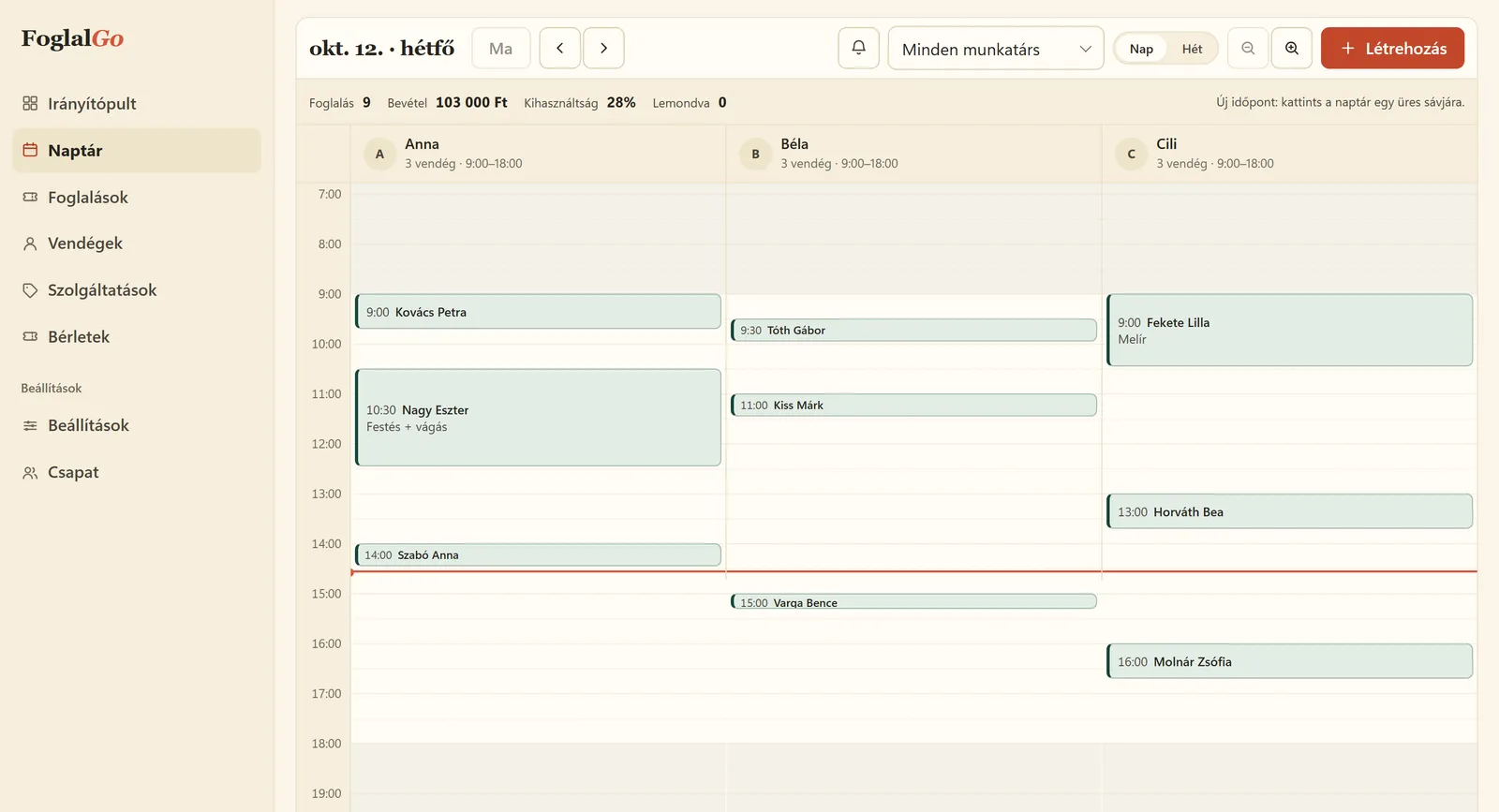
Barber shop: what FoglalGo takes care of
Short, dense slots
With twenty- to thirty-minute services every minute counts. The system only offers the slots that are actually free.
Walk-in and online in one place
When someone walks in, you add them to the calendar with one click, and the slot disappears from the online offer straight away.
A QR code for the mirror
Print the QR code and put it on the counter. Clients can book their next appointment while still in the chair.
What your service list could look like
An example setup. You set the names, durations and prices yourself; at registration the system adds a starter list that fits your trade.
The pricing page shows which plan your list fits into. If you use another system now, our comparison pages compare the fees with dates and sources.
| Service | Duration / note |
|---|---|
| Haircut | 30 min |
| Beard trim | 20 min |
| Haircut + beard | 45 min |
| Shave | 30 min |
| Clipper cut | 20 min |
How does online booking work in a barber shop?
A barber shop’s day consists of many short services: a haircut takes half an hour, a beard trim twenty minutes, the two together forty-five minutes. You add them with their real lengths and set which barber works when. On the booking link, or with the QR code on the counter, clients choose the service and a free time, and immediately get an email confirmation with a cancellation link.
Walk-in clients go into the same calendar: you click an empty slot, and the time disappears from the online offer at that very moment. So there is one calendar with both online and walk-in clients, and it cannot happen that someone books a slot on the link while a walk-in client is already sitting in that chair.
How do you handle walk-in and online clients together?
Most barbers want both: regulars should book ahead, but walk-ins should not have to be turned away. The solution is that you do not have to offer every slot online. You set the opening hours and the barbers’ schedules, so if, for example, you keep the morning for walk-ins, you do not set bookable working hours for that time, or you block the slot in advance from the dashboard.
If a walk-in client sits down during the day, record them in the calendar too. That way there is no clash, and the client profile shows how often each client comes. With the booking rules you can also set the minimum notice for online bookings, so no booking arrives five minutes before the start, when someone else is already in the chair.
Which plan does a barber shop need?
If you work alone and offer at most three services, for example a haircut, a beard trim and the two together, the Start plan is enough for HUF 0, with no time limit. Its monthly limit is 30 bookings, which is fine to start with, but for a full-time barber it fills up quickly because there are many short appointments.
The Pro plan costs HUF 3,990 a month or HUF 39,900 a year. It gives you unlimited services and bookings, up to 3 barbers, and sends the client a reminder email before the appointment. With more than three chairs, the Business plan costs HUF 5,990 a month, with unlimited team members. None of the plans charges a commission, and no VAT is added to the fees, because they are final prices from a VAT-exempt operator. The system does not send SMS; notifications go out by email.
How do you reduce no-shows in a barber shop?
With short appointments following each other closely, even one missed client leaves a gap in the day. The confirmation email contains a cancellation link, so anyone who cannot come lets you know with one click, and the slot can be booked again straight away. You set the cancellation deadline, for example a few hours before the appointment.
From the Pro plan, the system sends a reminder email 24 hours and one hour before the appointment. Each can be switched off separately. You can note clients who regularly miss appointments on their client profile.
Last updated:
Getting started in three steps
Sign up
Enter the name of your business and choose your trade.
Set it up
Opening hours, services, team members or resources, cancellation deadline, and finally you approve your data controller details.
Share it
A link, a QR code or an embedded widget on your website.
Questions from barber shops
Can I handle walk-in clients too?
Yes. Click an empty slot in the dashboard calendar to add the appointment, so an online client can no longer book it.
Can I put a break between bookings?
Yes, you can set a break for each service, for example for cleaning between clients.
Does the system send SMS?
No, FoglalGo sends emails. The confirmation comes with every plan, reminders from the Pro plan.
Can I put the QR code on the mirror or the door?
Yes. The QR code can be downloaded from the dashboard and printed to put anywhere. Clients open your booking page with their phone camera.
What happens if a client cancels their appointment?
They can cancel with the link in the confirmation email until the deadline you set. The freed-up slot goes straight back into the online offer.
Further reading
Starting a hair salon business in Hungary in 2026: qualifications, tax, first clients
The steps in order: qualifications, registering with the tax authority, tax regime, premises, prices and the first clients.
Read it →How to reduce no-shows and last-minute cancellations
Confirmation, reminder, cancellation rule: what to set so that fewer clients miss their appointment.
Read it →Other industries
Launch your booking page
Start plan: HUF 0, no time limit. Sign up without a bank card; after five questions your booking link is ready.