
Nail salon
Booking system for nail technicians and manicurists
An infill takes an hour and a half, a polish half an hour. Clients choose the exact service, so the day does not slip and there is no back-and-forth on Messenger.
- Start: HUF 0, no time limit
- No booking commission
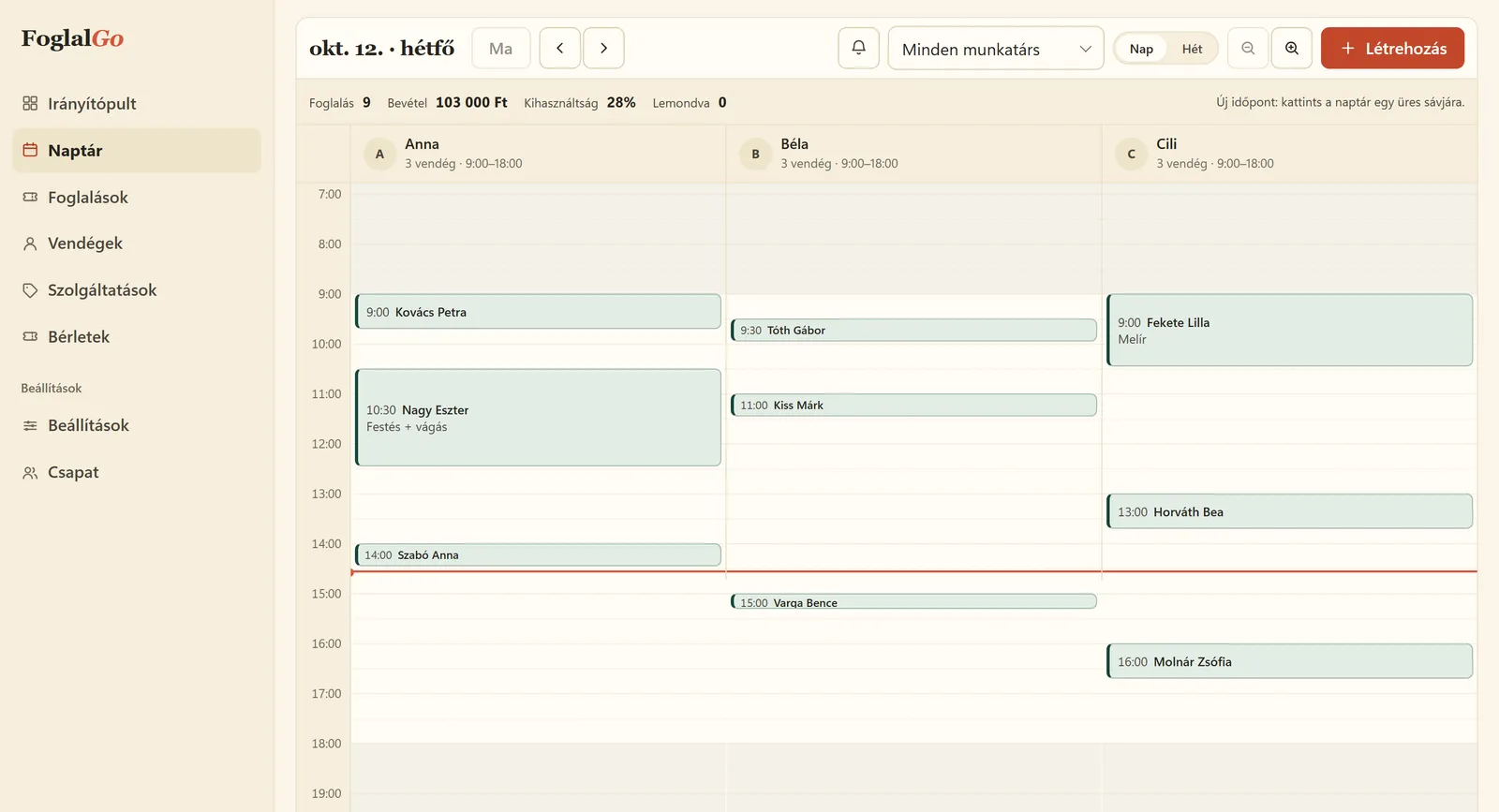
Nail salon: what FoglalGo takes care of
A link in your Instagram profile
Most nail clients arrive from Instagram. Put the booking link in your profile, and they book from there with one tap.
Exact durations
Infills, new sets, gel polish, pedicures: each goes into the calendar with its own length.
Fewer forgotten appointments
The confirmation email contains the time and the cancellation link. From the Pro plan the system sends reminders too.
What your service list could look like
An example setup. You set the names, durations and prices yourself; at registration the system adds a starter list that fits your trade.
The pricing page shows which plan your list fits into. If you use another system now, our comparison pages compare the fees with dates and sources.
| Service | Duration / note |
|---|---|
| Gel polish | 60 min |
| Infill | 90 min |
| New set | 120 min |
| Manicure | 40 min |
| Pedicure | 60 min |
How does online booking work for nail technicians?
The nail technician adds the services with their real lengths: gel polish takes an hour, an infill an hour and a half, a new set two hours, a pedicure an hour. On the booking link, clients choose exactly what they are coming for, so the day does not slip because a client who signed up for “just nails” turns out in the chair to want a new set.
After booking, the client immediately gets an email with the time and a cancellation link, and the nail technician sees the new booking in the dashboard calendar. Appointments arranged on Instagram or by phone go into the same calendar, so every booking is in one place and the online offer only shows the times that are actually free.
How do you start online booking if your clients come from Instagram?
Most nail clients find the work on Instagram and message there too. If you arrange the appointment in messages, one booking often takes five or six messages, and meanwhile the client is already asking elsewhere. With the booking link this shrinks to one step: the client looks at your work and books the appointment from the same place.
Copy the link from the dashboard. Put it in the Website field of your profile, among your story highlights, and share it with a link sticker in your stories when you have new free times. If you have a Facebook page or a Google Business Profile, the same link goes there too. With the QR code displayed in the salon, clients can book their next infill from the chair, so returning appointments are not settled in messages either.
Which plan does a nail technician need?
If you work alone and start with three services, for example gel polish, infills and new sets, the Start plan is enough for HUF 0, with no time limit. The monthly limit is 30 bookings, which, given the long appointments, can be a good start for a part-time nail technician.
If you have more services, or the limit regularly fills up, the Pro plan costs HUF 3,990 a month or HUF 39,900 a year: unlimited services and bookings, up to 3 team members, and a reminder email before the appointment. The reminder matters a lot for nail technicians, because infills are due every three to four weeks and are easy to forget. For a larger salon, the Business plan costs HUF 5,990 a month, with unlimited team members. There is no commission, and no VAT is added to the fees.
How do you get the next infill booked at the end of the session?
Infills are due every three to four weeks, and the safest way is for the client to book the next one while still in the chair. For this, put the QR code on the table: the client opens your booking page with their phone and picks the day that suits them.
If you would rather add it yourself, you record it in the dashboard in a minute, and the client gets the same confirmation email. Add infills and new sets as separate services with their real durations, so the day does not slip.
Last updated:
Getting started in three steps
Sign up
Enter the name of your business and choose your trade.
Set it up
Opening hours, services, team members or resources, cancellation deadline, and finally you approve your data controller details.
Share it
A link, a QR code or an embedded widget on your website.
Questions from nail technicians
I work alone. Do I have to pay?
Not necessarily. The Start plan costs HUF 0, with no time limit: 1 team member, 3 services, 30 bookings a month.
How do I put the link on Instagram?
Copy your own booking link in the dashboard and paste it into the Website field of your profile or into a link sticker in a story.
Can I ask for the fee in advance?
Online card payment is not available at the moment; it is marked “coming soon” in the Fee Schedule.
What if the client does not know exactly what they want?
Add a short consultation service, or write in the service description when to choose which one. If they still ask for something else, you can change the booking in the dashboard.
Can I leave a break between two clients?
Yes, you can set a break for each service, for example for disinfection or for preparing the lamp and the tools.
Further reading
Starting a nail technician business in Hungary in 2026: qualifications, tax, clients
Qualifications, registration, tax as a main job or alongside employment, a home salon and clients from Instagram.
Read it →Adding a booking system to your website: link, button or widget
Three ways to put your booking page online, with WordPress, Wix and Instagram examples.
Read it →Other industries
Launch your booking page
Start plan: HUF 0, no time limit. Sign up without a bank card; after five questions your booking link is ready.