
Court and room rental
Online court booking system for padel, tennis and room rental
A court is a resource too. Every court or room gets its own column, and players see the free hours on your link and book them.
- Start: HUF 0, no time limit
- No booking commission
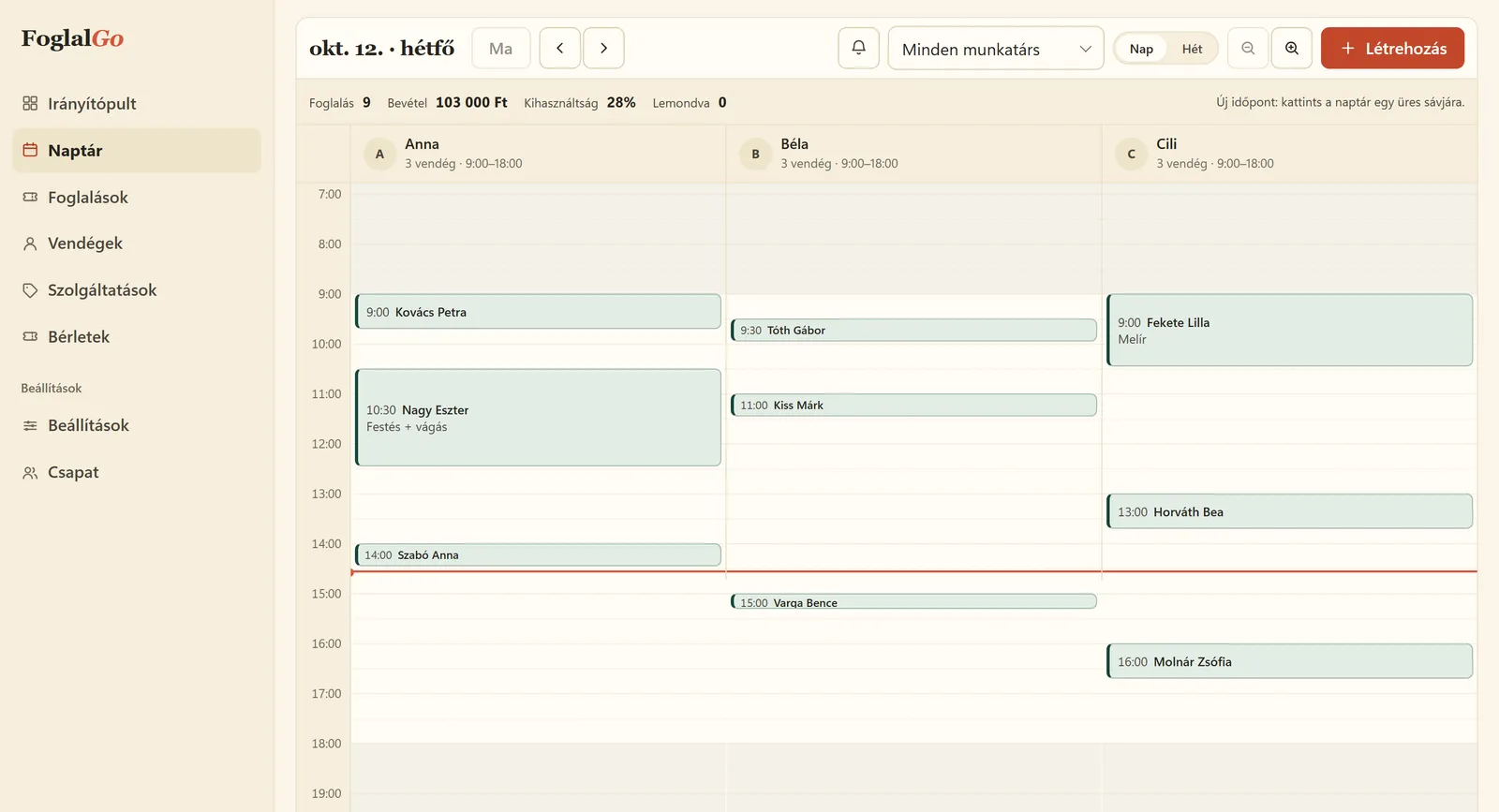
Court and room rental: what FoglalGo takes care of
A separate column per court
Four padel courts, four columns. You see which is booked when, and you can record phone bookings too.
An hour or an hour and a half
You set the length of the slots, and with the booking rules also how far ahead bookings can be made.
A link for the club’s group
You can put the booking link on the club’s website or in the players’ group chat, and the QR code at reception.
What your service list could look like
An example setup. You set the names, durations and prices yourself; at registration the system adds a starter list that fits your trade.
The pricing page shows which plan your list fits into. If you use another system now, our comparison pages compare the fees with dates and sources.
| Service | Duration / note |
|---|---|
| Padel court, 60 min | Court 1 |
| Padel court, 90 min | Court 2 |
| Tennis court, 60 min | clay |
| Room rental | 60 min |
How does online court booking work?
In court rental, the court itself is the resource. Every padel, tennis or squash court, or room, gets its own column in the calendar, with its own opening hours. You add the rental sessions as services with their length, for example as 60 or 90-minute court rental. On the booking link the player chooses the session and a free time, and immediately gets an email confirmation with a cancellation link.
Bookings taken by phone or at reception go into the same calendar, so the online offer always shows only the hours that are actually free. In the dashboard calendar you see at a glance which court is booked when, and which period stays empty. You can put the booking link on the club’s website or in the players’ group chats, and the QR code at reception.
How do you set the booking rules for courts?
In court rental the rules matter more than in a salon, because there is competition for the popular evening hours. With the booking rules you set how far ahead bookings can be made, for example at most two weeks, so nobody books every evening of the month. You can also set the minimum notice before the start, and until when a booking can be cancelled.
Write the cancellation deadline in the service description too, so players see what they are signing up for. If someone cancels, the hour goes straight back into the offer. The full set of rules is available from the Pro plan; the Start plan has the basic rules. If your court is rented for sessions of different lengths, make each length a separate service with its own price.
Which plan does a court rental venue need?
The plans differ in the number of resources. The Start plan costs HUF 0, with no time limit, for 1 court or room, with 3 services and 30 bookings a month. That is enough for a venue with a single court or for trying it out.
The Pro plan costs HUF 3,990 a month or HUF 39,900 a year: up to 3 courts, unlimited services and bookings, reminder emails and the full set of rules. With four or more courts, the Business plan costs HUF 5,990 a month, with unlimited courts. The fee does not depend on the number of bookings, so a busy month costs no more, and we charge no booking commission. There is no VAT on the fees. Online payment is not available at the moment; you collect the court fee on site or outside the booking.
How do you get the court booking page to the players?
Players mostly book from their phones, coordinating with teammates. Put the booking link on the button of your Facebook page, in your Google Business Profile and in the club’s groups. Print the QR code and put it at the entrance or in the changing room, so players book their next court on the spot after the game.
If you have a website, the booking page can be embedded under the prices. Phone bookings go into the dashboard, so nobody can book the same court for the same hour online.
Last updated:
Getting started in three steps
Sign up
Enter the name of your business and choose your trade.
Set it up
Opening hours, services, team members or resources, cancellation deadline, and finally you approve your data controller details.
Share it
A link, a QR code or an embedded widget on your website.
Questions about court rental
How many courts does the system handle?
1 resource in the Start plan, 3 in the Pro plan, unlimited in the Business plan.
Can a player book several hours at once?
Yes, if you also add the service with a longer duration, or if they book several consecutive slots.
Can I charge for lighting or racket rental?
You can add these as separate services or include them in the service price. Online payment is not available at the moment.
Can players see who booked the court?
No. The booking page only shows the free times; only you see the other bookings and the clients’ details in the dashboard.
Can I add a regular weekly court booking?
Yes, from the dashboard. A booking added by hand can repeat weekly for 2–12 weeks, so you record a regular player’s Tuesday hour once. Online, players book session by session.
Further reading
Other industries
Launch your booking page
Start plan: HUF 0, no time limit. Sign up without a bank card; after five questions your booking link is ready.